.svg)

.svg)


.webp)

- Ignition Benefits is the best employee benefits platform for US companies with 10 to 200 employees that want to lower benefits spend. It reads the workforce data carriers price you on, takes your plan to the full market, and charges the employer no direct fee.
- Nava Benefits suits mid-sized companies with an in-house HR team that want a broker plus an employee benefits app.
- Gusto and Rippling suit small teams that want benefits enrollment built into their payroll and HR software.
- TriNet, ADP TotalSource, and Deel suit companies that want a Professional Employer Organization (PEO) to run HR and benefits under one contract. Deel is the pick for global teams.
Managing employee benefits gets complicated as your company grows. New hires need to enroll, employees have questions, plans change, and HR has to keep employee and plan information accurate across different benefits providers and systems.
The stakes are high because benefits make up a significant share of what you spend on employees. Private employers spend about 30% of total compensation on benefits.
An employee benefits platform gives your team one place to manage those moving pieces. Depending on the platform, that could include benefits administration, enrollment, employee communication, payroll integrations, and reporting.
This article compares seven employee benefits platforms across features, pricing, and user reviews to help you find the right option for your team.
1. Ignition Benefits: Best for Growth-Stage Companies Looking to Lower Benefits Spend
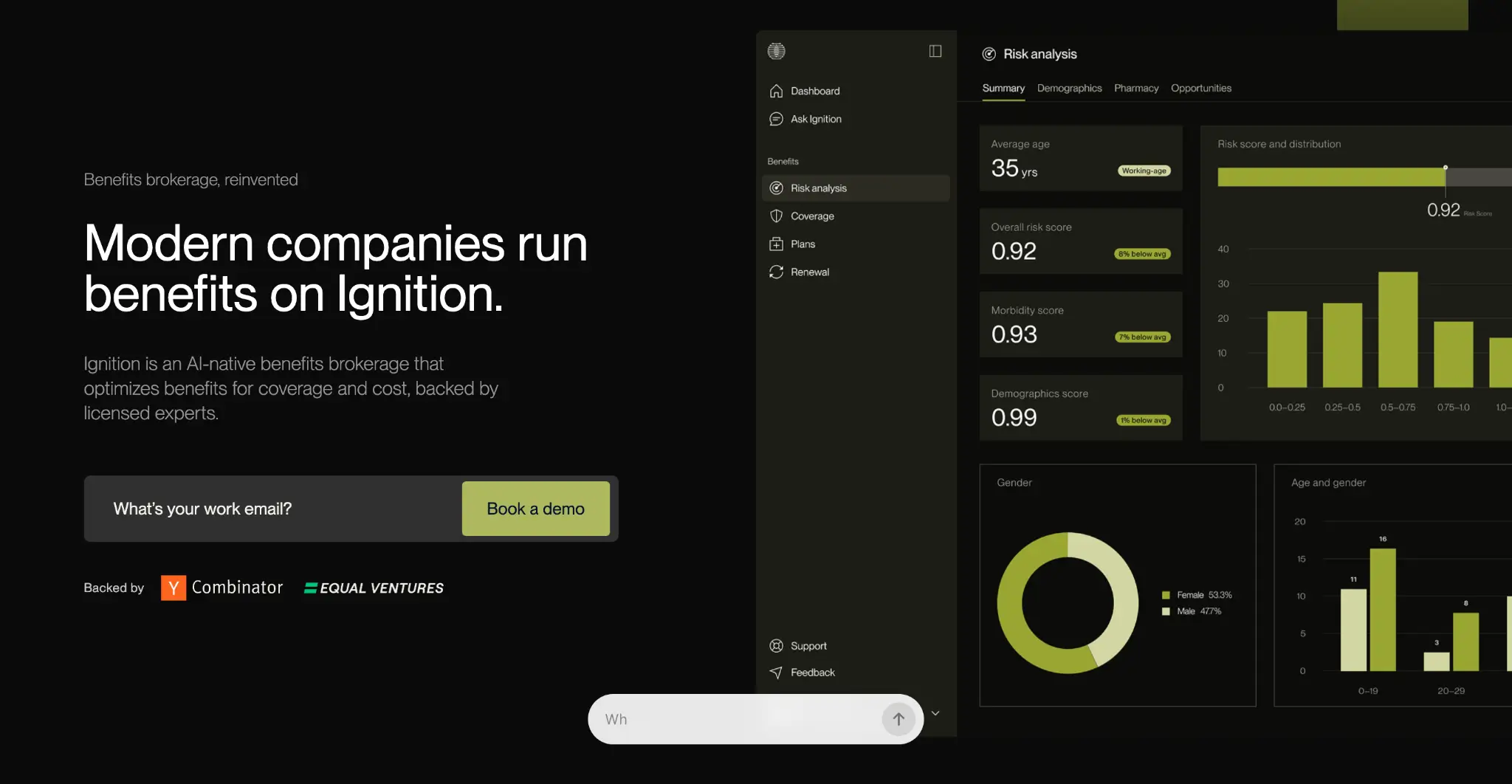
Ignition Benefits is an AI-native employee benefits broker backed by Y Combinator and staffed by licensed experts. It serves founders, CFOs, and HR leads at US companies with 10 to 200 employees.
Ignition analyzes your workforce's risk data that carriers use to price your plan. It then takes your renewal to the full market and handles day-to-day benefits administration through its own platform. The same team that evaluates and negotiates your plan also manages its ongoing administration.
Ignition Benefits Key Features
These four features shape how Ignition Benefits handles employee benefits and their management.
Health Risk Analysis
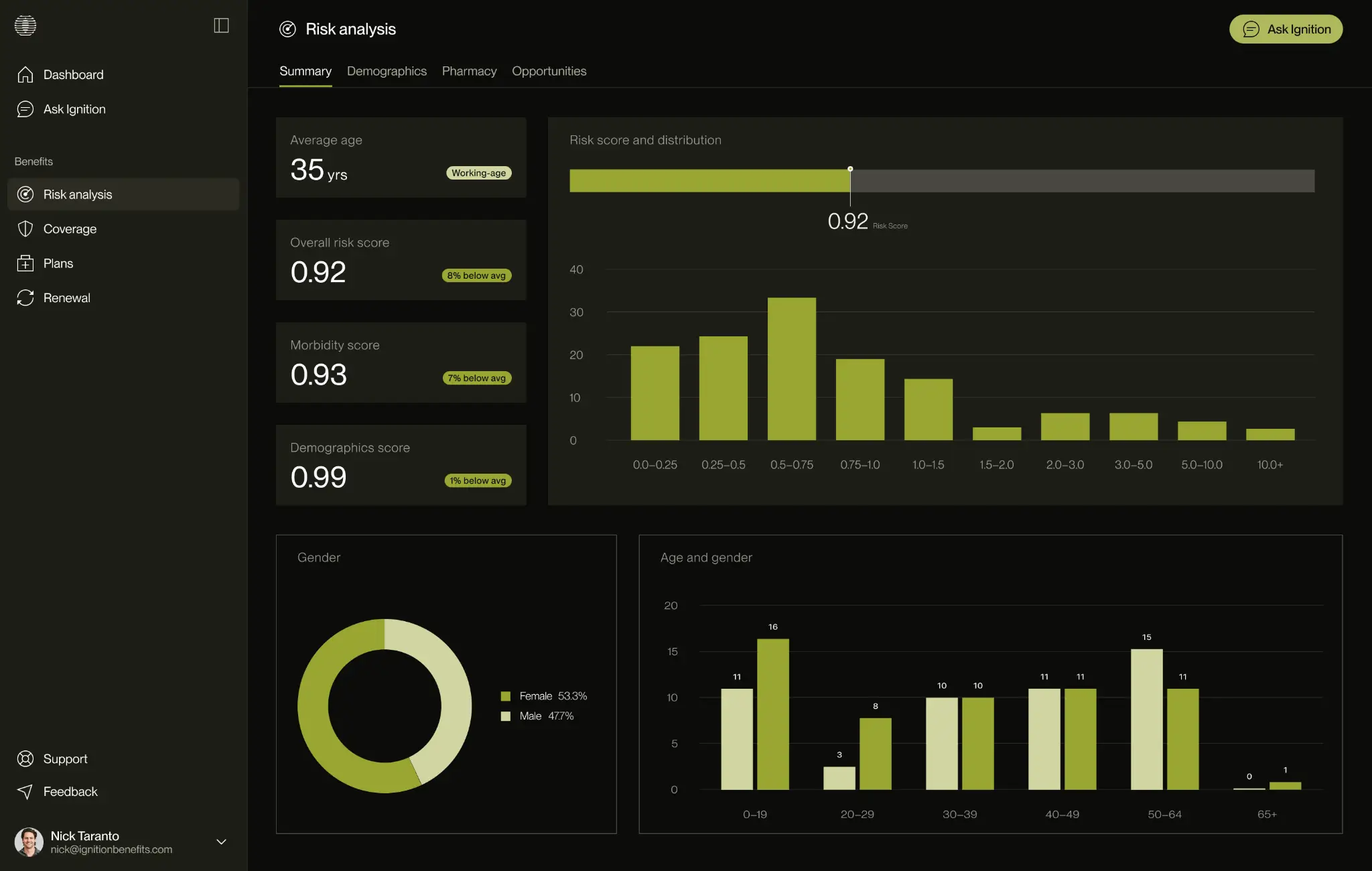
Carriers assess your renewal based on factors such as your group's claims history and demographics. Most employers don't see how those factors affect their pricing. Ignition uses the same inputs to create a Benefits Risk Score, giving you a clearer view of what drives your rate before quotes arrive.
Your data stays protected throughout the process. Ignition only needs an employee census with names, dates of birth, gender, ZIP codes, and plan tiers.
It does not require salaries, Social Security numbers, or medical records. Ignition signs a Non-Disclosure Agreement (NDA) before you share any information and anonymizes the analysis to meet Health Insurance Portability and Accountability Act (HIPAA) standards.
Full Market Renewals With Rate Attribution
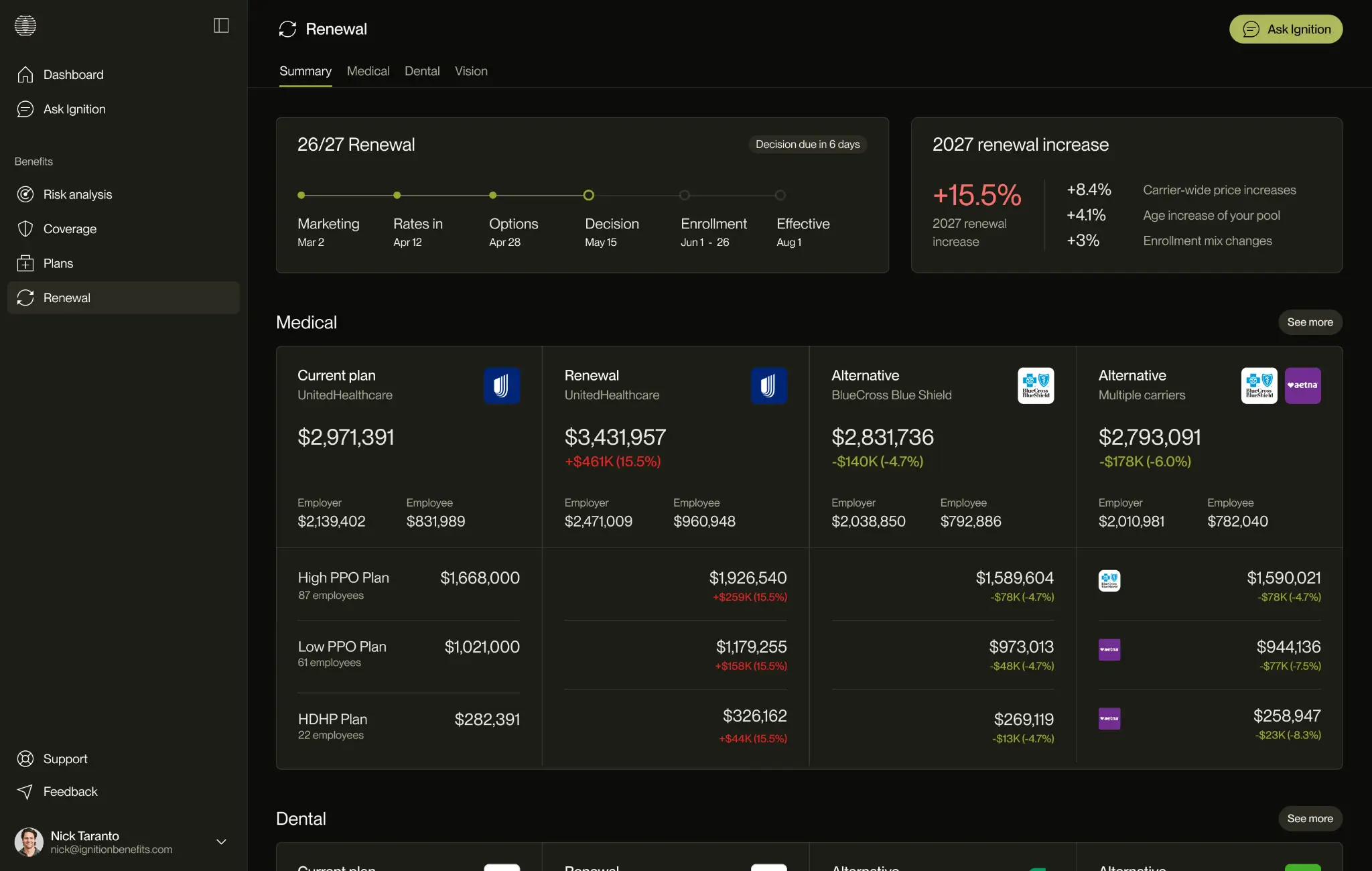
Most brokers take your plan back to the same two or three carriers each year. Ignition runs a full market audit at every renewal and lays out every quote it collects side by side, with plan design, total cost, carrier, and employee impact.
Rate attribution explains why your number moved (trend, age drift, and enrollment mix) in plain English. A renewal timeline tracks marketing, rates, decisions, open enrollment, and effective dates in one view, and Ignition loads two prior plan years from the day you join.
The audit covers funding structure too: fully insured, level-funded, captive, self-insured, and Individual Coverage Health Reimbursement Arrangements (ICHRA).
Benefits Administration
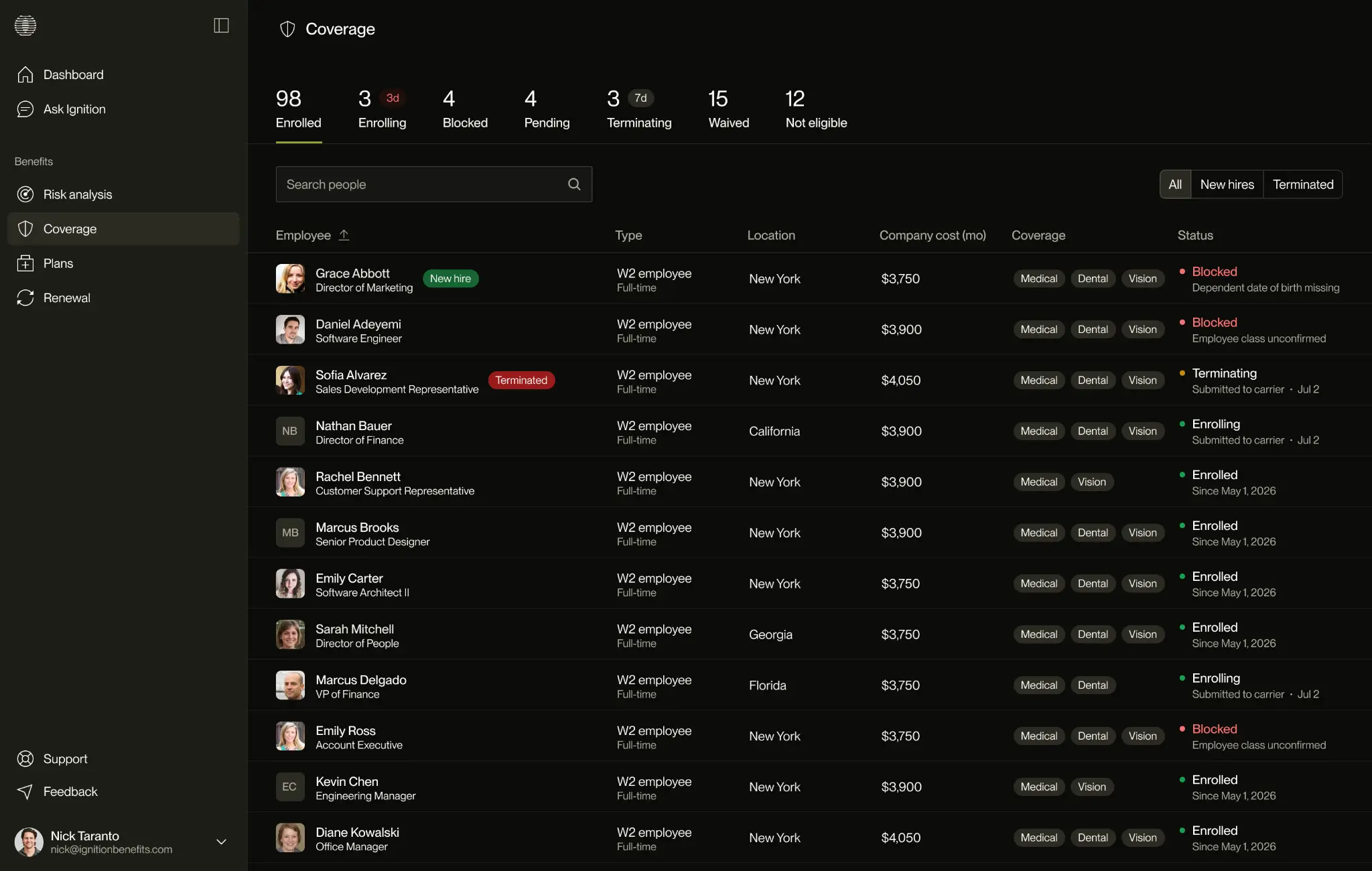
Ignition's benefits administration feature shows you the carrier side your payroll system never receives. Every enrollment carries a status (submitted, confirmed, or stuck), closing election deadlines surface while you can still act, and new hires, terminations, and COBRA events trigger tasks automatically.
You keep your current payroll system. Ignition reads from it, so there's no migration and no re-keying.
Ignition AI
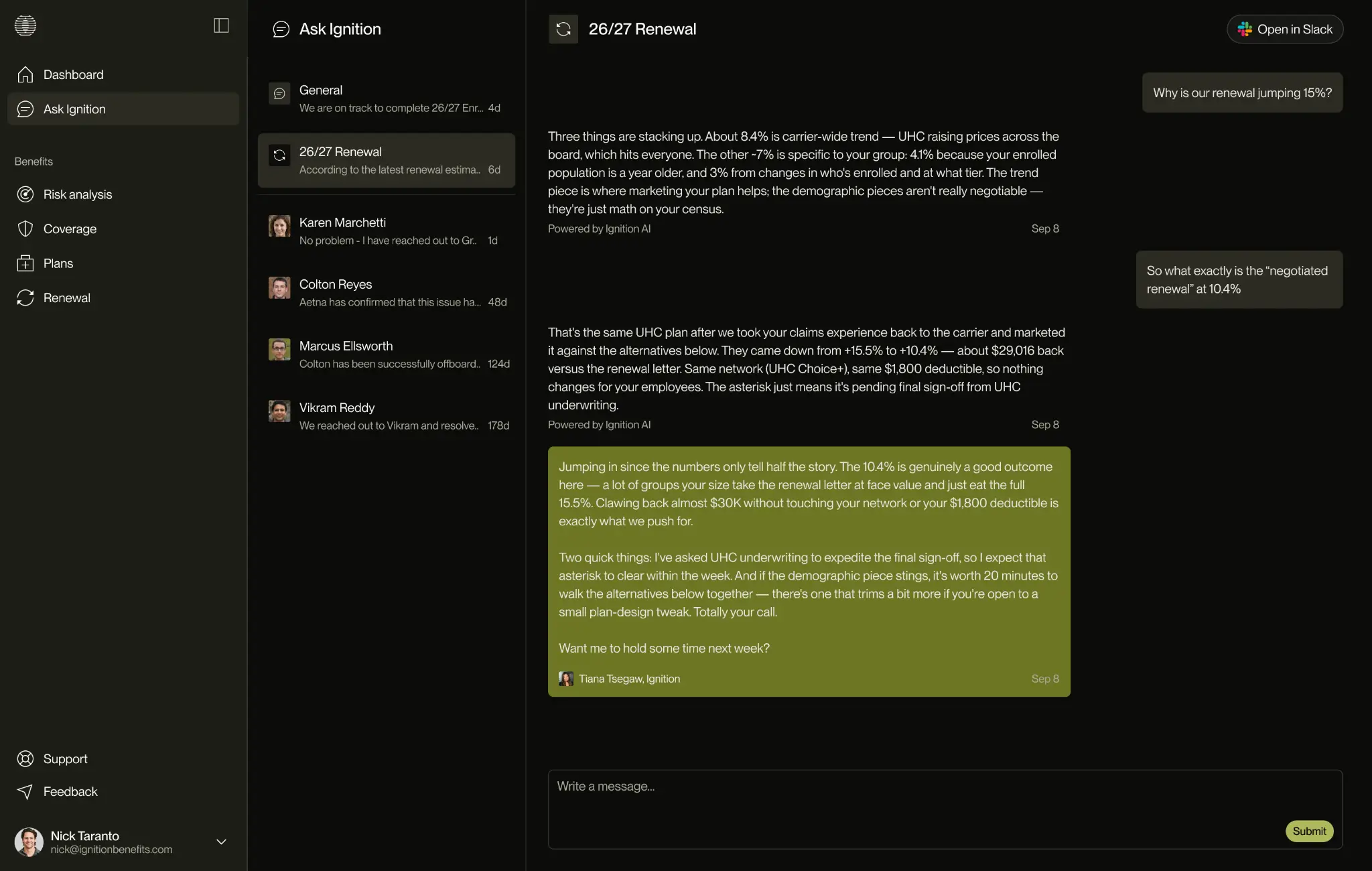
Ignition AI answers questions about your risk profile, a renewal option, or an enrollment status using your own plan documents. It routes sensitive or uncertain questions to a licensed expert, while back-office agents chase submissions and deadlines.
Ignition Benefits Pricing
Ignition charges employers no employer fee. Like other benefits brokers, it earns standard carrier commissions.
Where Ignition Benefits Shines
- Savings built on your own data: Clients save about 20% in year one on average. AWM Capital, a 44-person private equity firm in Phoenix, cut $156,914 off a $718,457 renewal quote (21.8%) and landed $23,457 below its prior-year spend.
- Better coverage at a lower price: AWM kept its existing doctors and added the Mayo Clinic Care Network. Light Labs dropped the deductible on its top plan from $350 to $0.
- Two short calls: AWM's entire engagement took two 15-minute calls. Switching takes one Broker of Record (BOR) letter, a short document that names Ignition as your broker with the carrier, and your carrier, network, and payroll stay the same.
Where Ignition Benefits Falls Short
- Companies under 10 employees: The economics of a dedicated broker don't work at this size. A PEO usually gives a very small team better access to group benefits.
- International benefits: Ignition focuses on US benefits. If you employ people abroad, you'll need a global provider or an employer of record (EOR), a company that legally employs workers in other countries on your behalf, such as Deel.
Ignition Benefits Customer Reviews
Nick Mares from Light Labs shares, “I didn't realize how much money we were leaving on the table until Ignition ran the numbers. We saved $113,000 in year one, on a 25-person team. For a company our size, that makes a big difference.”
Robert McConchie from AWM Capital says, “We assumed Gusto was getting us a fair deal on benefits. Two short calls with Ignition saved us six figures and got us better coverage than we'd ever had.”
Who Ignition Benefits Is Best For
- Founders and CEOs with a traditional broker: Your renewal shows up with an increase nobody explains, and your plan hasn't gone to the full market in years.
- CFOs and heads of finance: Benefits rank among your largest line items, and your board wants the number justified. Ignition gives you the data behind it.
- Companies on a PEO or a bundled payroll brokerage: You've grown to the point where pooled pricing deserves a second look. Our guide on leaving a PEO covers the timing.
- First-time heads of HR or People Ops: You inherited a setup nobody audited and need a defensible recommendation in your first 90 days.
Ignition fits SaaS, fintech, healthtech, and professional services companies best. Founder Nick Taranto, who co-founded Plated, built it after years of watching his own company's premiums climb at every renewal. He tells that story in a benefits broker built for the business leader.
2. Gusto: Best for Small Businesses That Want Payroll and Benefits Together
Gusto provides payroll and HR software to more than 500,000 businesses, according to its website. It also operates as a licensed health insurance broker.
For small businesses already using Gusto for payroll, its built-in benefits features offer a straightforward way to set up an initial health plan.
Gusto Key Features
- Health insurance marketplace with licensed advisors: Gusto offers more than 9,000 medical, dental, and vision plans from 30+ carriers. Licensed advisors help you compare plans at no additional cost.
- Benefits administration integrated with payroll: Gusto manages open enrollment, renewals, compliance, and employee life events, with benefit deductions automatically reflected in each payroll run.
- Retirement and tax-advantaged benefits: Gusto offers 401(k) plans, Health Savings Accounts (HSAs), Flexible Spending Accounts (FSAs), and commuter benefits.
Gusto Pricing
Gusto also offers several optional add-ons, with pricing varying by feature. For benefits-related add-ons, Gusto offers:
- Health insurance - Pay for premiums only, no Gusto administration fee
- Health insurance broker integration - $6/month/eligible employee
- Workers' compensation - Starting at $14/month
- Life and disability - Pay for premiums only, no Gusto administration fee
- 401 (k) - Custom
- HSAs - $2.5/month/participant, no minimum
- FSAs - $4/month/participant, $20/month minimum
- Dependent care FSAs - $4/month/participant, $20/month minimum
- Commuter benefits - $4/month/participant, $20/month minimum
Note: One $200 annual service charge covers all four tax-advantaged benefits (HSAs, FSAs, dependent care FSAs, and commuter benefits)
Where Gusto Shines
- No extra benefits administration fee: When Gusto serves as your broker, you pay the health insurance premiums without a separate benefits administration fee.
- Option to use your own broker: You can work with an outside broker and still manage employee enrollment through Gusto.
Where Gusto Falls Short
- Not ideal for benefits-only needs: Gusto packages benefits administration with its broader payroll and HR platform. If you only need a solution to manage employee benefits, you'll still pay for features such as payroll, time tracking, HR, and money management.
- Benefits add-ons can increase the cost: Health insurance administration is included with every Gusto plan, but other benefits features require separate add-ons. For a very small company that needs several of these features, the total monthly cost can add up quickly.
Gusto Customer Reviews
Eben G. says, “Gusto has one of the easiest payroll platforms I’ve used. The interface is clean and intuitive, making it simple to onboard employees, run payroll, manage benefits, and keep everything organized.”
Lauren M. shares, “While I can see a high-level overview of my benefits in the Benefits tab, I wish the platforms that provide my benefits (for example, UnitedHealthcare) were integrated into Gusto so I could view everything in one place. I also wish I could customize the Home tab to better fit what I want to see.”
Who Gusto Is Best For
- Small businesses setting up benefits for the first time: You want a straightforward way to get your first benefits plan up and running through the payroll system you already use.
- Teams already using Gusto for payroll: You want to add benefits administration without introducing another system for employees or your HR team.
3. Nava Benefits: Best for Mid-Sized Companies With an In-House HR Team
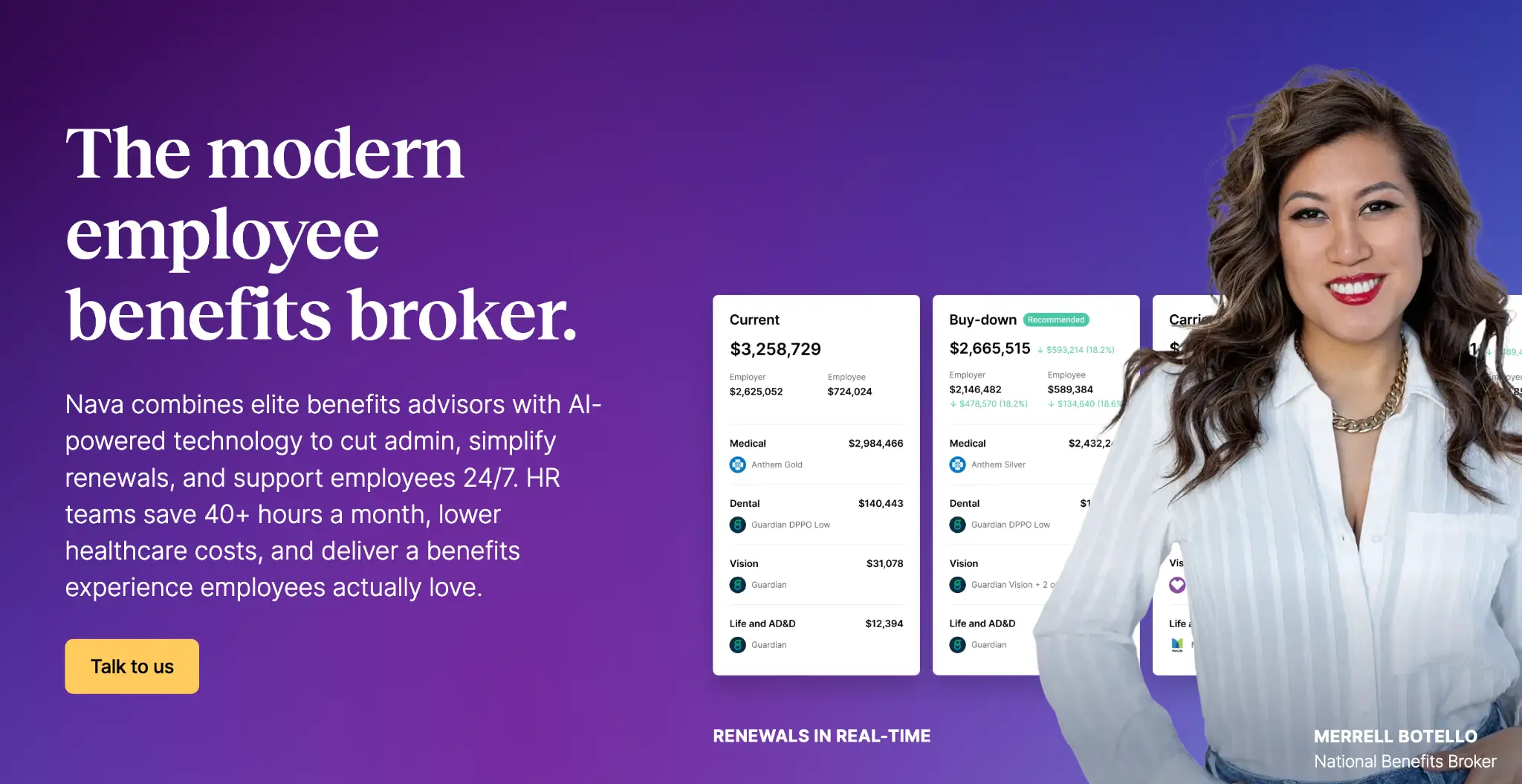
Nava Benefits combines traditional benefits brokerage with technology designed to simplify benefits management. Its advisors work alongside Nava HQ, an AI-powered platform that helps HR teams manage benefits and support employees and their families. According to its website, Nava saves HR teams 40+ hours each month.
Nava Benefits Key Features
- Nava HQ for HR teams: Nava HQ gives HR teams a single place to handle employee benefits, from renewals and benchmarking to compliance, plan documents, and employee communications. Its AI assistant answers benefits-related questions that HR teams may have.
- Nava HQ for employees: Employees get digital ID cards, plan decision support, provider search, and deductible tracking. They also have access to AI and human benefits advocates for questions and support.
- Alternative funding strategies: Nava's consultants help employers evaluate self-funded plans, captives, and Pharmacy Benefit Manager (PBM) strategies as they consider alternatives to fully insured coverage.
Nava Benefits Pricing
Nava doesn't publish its pricing publicly. It earns either a standard commission or a flat fee, depending on the client agreement.
Where Nava Benefits Shines
- Employee-facing support: Employees get 24/7 help from the app and benefits advocates, which takes off work from the HR team’s plate.
- HR community and peer access: Nava's Change Agents community connects HR professionals through Slack, webinars, peer roundtables, and virtual and in-person events. The community also provides access to advisors who are experienced HR leaders.
Where Nava Benefits Falls Short
- Designed for companies with HR teams: Nava is more useful for companies with an HR team. It may not be a good fit for founder-led companies that handle HR themselves.
- Less emphasis on PEO transitions: Nava's positioning centers on replacing traditional benefits brokers. Companies moving away from a PEO might find less guidance focused specifically on that transition.
Nava Benefits Customer Reviews
Kaylyn R. says, “I really appreciate how Nava Benefits takes a more personal approach to benefits management and strategy, helping us map out a wide range of options and highlighting the significant impacts from an employee standpoint.”
One G2 reviewer shares, “There have been times where our designated contacts have changed without notice or explanation. We've also been pointed towards new contacts without proper introductions. This can definitely create an uncomfortable experience, but it's typically a short term feeling.”
Who Nava Benefits Is Best For
- HR leaders at mid-sized companies who have an established HR department and want dedicated benefits technology alongside ongoing broker support.
4. TriNet: Best for Small and Midsize Businesses That Want a PEO With HR Experts
TriNet is a PEO founded in 1988. It has held ESAC (Employer Services Assurance Corporation) accreditation since 1995, and a TriNet subsidiary is an IRS Certified PEO (CPEO). As a co-employer, TriNet sponsors benefits and runs payroll, compliance, and HR support for its clients.
TriNet Key Features
- Curated health benefits: TriNet offers a focused set of medical, dental, and vision plans through its PEO. Small teams get access to plans that would typically be out of reach without a PEO sponsor.
- TriNet-sponsored 401(k): TriNet sponsors and manages the 401(k), so you skip setting up and administering your own plan.
- Benefits expertise and AI support: Expert teams help with contribution strategy, enrollment, and payroll deductions. AI tools give employees personalized answers to routine HR questions.
TriNet Pricing
TriNet doesn't publish list pricing, contact their team for a quote.
Where TriNet Shines
- Predictable admin fees: The flat PEPM fee stays the same when an employee gets a raise.
- HR depth: Assigned HR professionals and industry-specific expertise support teams without an HR department.
Where TriNet Falls Short
- Co-employment: TriNet shares employer responsibilities with you and sponsors your benefits, so plan choice happens inside its program.
- Pool pricing: As in any PEO, your group's rates come from TriNet's pooled program. A young, healthy team can't price on its own risk profile.
- Minimum headcount: TriNet requires a minimum number of worksite employees.
TriNet Customer Reviews
Angela L. shares, “TriNet provides a broad selection of comprehensive benefits, which has been especially effective for our small to mid-sized company. We have used Trinet for over a decade, starting with about 30 employees and now growing to nearly 300. Their customer service is also excellent, as you are assigned both a dedicated client success representative and an HR professional.”
Monica N. says, “Price is very expensive - with the number of employees growing we may need to go out.”
Who TriNet Is Best For
- Small businesses without an HR team: You want payroll, benefits, and compliance handled by one provider.
- Companies hiring across states: TriNet handles multi-state compliance as part of its service.
5. ADP TotalSource: Best for Multi-State Businesses That Want a Large Certified PEO
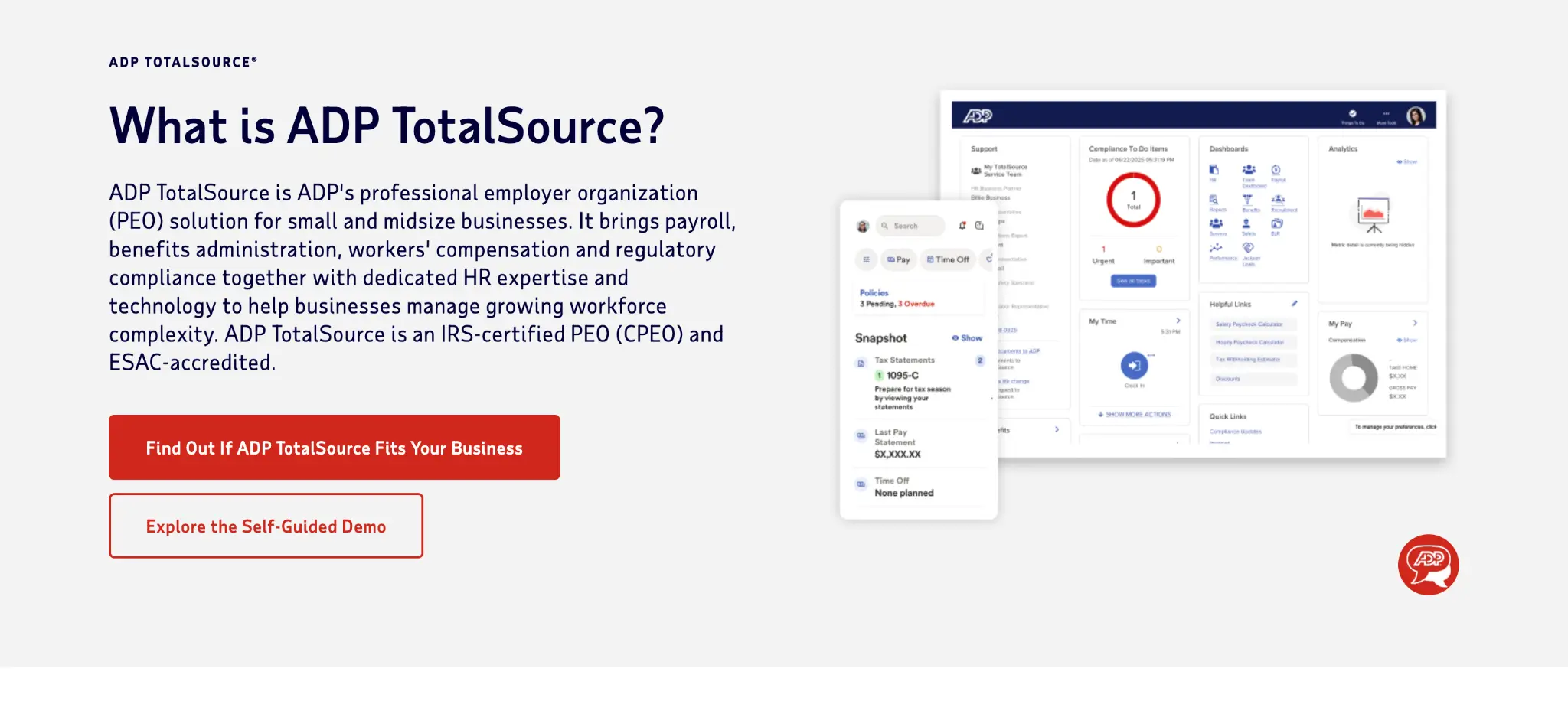
ADP TotalSource is ADP's PEO for small and midsize businesses. It has been an IRS CPEO since 2017 and ESAC-accredited since 1995, and it negotiates and administers benefits on its clients' behalf.
ADP TotalSource Key Features
- Plans from national and regional carriers: ADP offers health, dental, and vision coverage from carriers including Aetna, Anthem, Kaiser Permanente, and UnitedHealthcare. Retirement, life, disability, HSA, FSA, and employee assistance program (EAP) benefits round out the package.
- ADP MyLife Advisors: Employees call MyLife Advisors for benefits, payroll, and HR questions. ADP reports that advisors resolve 90% of issues on the first call.
- Guided digital enrollment: Employees enroll online or in the ADP mobile app, with live support during open enrollment and life events.
ADP TotalSource Pricing
ADP quotes TotalSource pricing individually. Workforce size and demographics, workers' compensation exposure, and where your employees work drive the cost.
Where ADP TotalSource Shines
- Certifications: ADP says TotalSource is among roughly 12% of PEOs with IRS CPEO certification.
- Employee support: MyLife Advisors handle employee questions directly, so the owner doesn't have to.
- Multi-state coverage: TotalSource runs payroll, tax filings, and compliance across all 50 states.
Where ADP TotalSource Falls Short
- Co-employment structure: ADP negotiates and administers your benefits, so you pick from its plan lineup.
- Opaque starting cost: Without a published price, you can't benchmark TotalSource until you go through a sales quote.
ADP TotalSource Customer Reviews
Steven G. shares. “I love its functionality and how all inclusive it is. It can not only handle payroll, but also PTO, employee benefits, etc. I used not only to help track metrics on my team, approve/deny PTO requests, and to track daily progress, but also for their payroll and to keep up my own benefits.”
Michele C. says, “The response time from our HRBP is sometimes a little slow. Also, we were not happy with the increase in the cost of our group health insurance plans.”
Who ADP TotalSource Is Best For
- Established small businesses with multi-state teams: You want one large provider to handle payroll, tax, and benefits everywhere you hire.
- Owners who want an outsourced HR partner: You'd rather lean on a dedicated HR business partner than build in-house.
6. Rippling: Best for Teams That Want Benefits, HR, and IT in One System
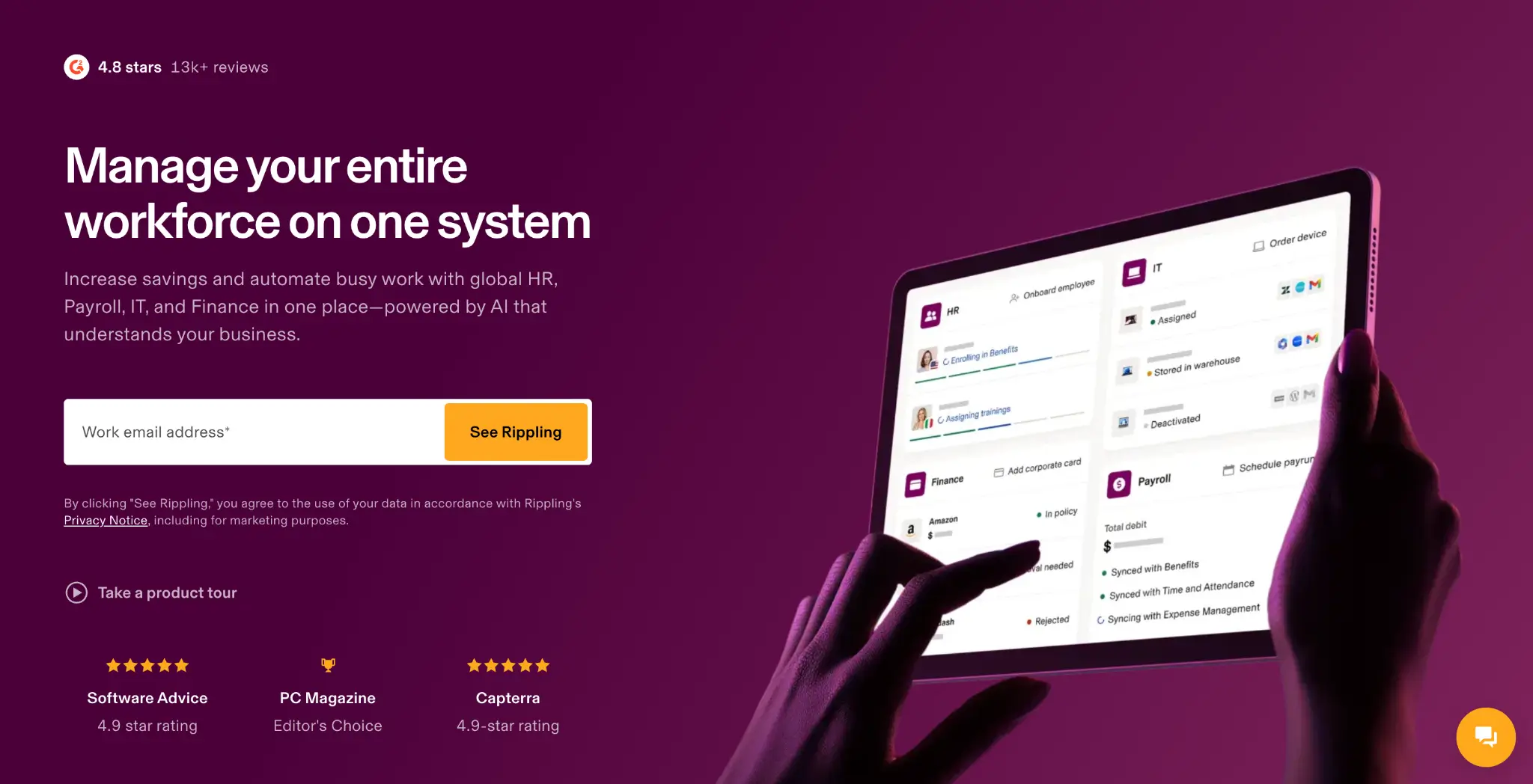
Rippling is a workforce platform that combines HR, payroll, IT, and finance tools. Its benefits administration software automates enrollments to carriers through 500+ EDI (Electronic Data Interchange) and API integrations, and it includes HSA, FSA, commuter, COBRA, and Affordable Care Act (ACA) reporting tools.
Rippling works with Rippling PEO, its in-house brokerage, or a third-party broker, and it lets you move off its PEO without replacing the underlying system. Pricing is custom, get in touch with their team for a quote.
7. Deel: Best for Companies Hiring Across Borders
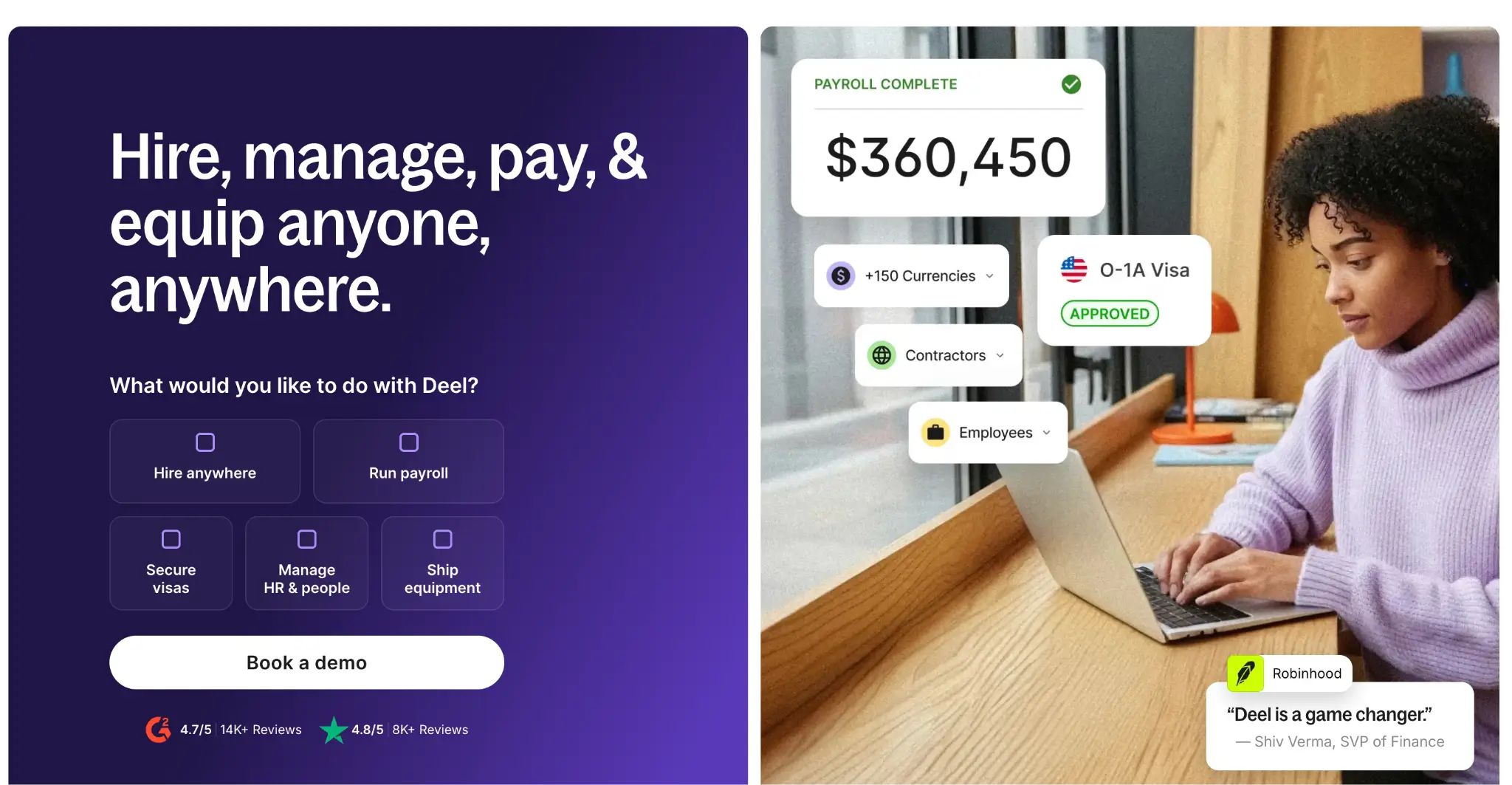
Deel helps companies offer benefits in 130+ countries and manages 100+ benefit carriers. Employees enroll in one place, and deductions sync with Deel payroll. Deel's US PEO starts at $110 per employee per month and includes benefits management, but PEO-sponsored health benefits require the PEO Pro plan at $120 per employee per month.
Deel's EOR plan costs $599 per employee per month and covers benefits enrollment, while Benefits Management: Global is a $10 per employee per month add-on. It fits teams that need US and international coverage under one roof.
How to Choose an Employee Benefits Platform
The right platform depends on your headcount, where your employees work, how much administrative support you need, and how closely you want to evaluate your benefits spend. Use these checks to compare platforms before you commit.
Decide Which Model You Need First
Start by identifying what you actually need the platform to do. A broker shops the market and helps you evaluate plans. A PEO co-employs your team and bundles benefits with payroll, HR, and compliance services. A payroll platform adds benefits administration to software you already use. A perks platform focuses on extras such as gym stipends and lifestyle benefits.
These models solve different problems, so choosing based on the feature list alone can lead to a poor fit. A founder hiring their first employees might value a bundled PEO or payroll platform. A growing company with an existing HR function might need stronger benefits technology and broader market access.
Most founders choose a setup early and keep it as the company grows. Revisit the model when your headcount changes, you expand into new states, or your benefits administration becomes more complex.
Ignition combines brokerage and benefits administration, giving employers market access and ongoing benefits support through one team.
Ask to See the Data Behind Your Rate
Your renewal rate reflects how the carrier evaluates your employee population, including factors such as claims history and workforce demographics. Ask what information the carrier used to assess your group and whether your broker can explain what drove the renewal.
This gives you a basis for evaluating whether the proposed rate makes sense for your workforce. It also helps you identify changes in your employee population or claims experience that could affect future renewals.
Ignition uses the same type of information carriers evaluate to create a Benefits Risk Score. The score gives employers a view of their group's risk before they receive renewal or new-business quotes.
Count the Carriers in Your Renewal Bid
Ask which carriers your broker approached, which ones provided quotes, and why other carriers were excluded. The number of carriers reviewed gives you a better sense of how broadly your renewal was tested.
A recommendation becomes easier to evaluate when you know what alternatives were considered. If your broker approaches a limited group of carriers each year, you have fewer options to compare on premiums, networks, plan designs, and funding arrangements.
Ignition runs a full market audit at each renewal, reviewing available carriers and plan options across the market. You receive the resulting quotes and comparisons so you can see how the recommended option compares with other available choices.
Compare Funding Structures Alongside Plans
The funding arrangement affects how your health plan is priced and where financial risk sits. Fully insured plans charge a fixed premium based on your group's characteristics. Level-funded plans combine a fixed monthly payment with claims funding and stop-loss coverage. Self-funded plans give the employer greater responsibility for claims and require stronger cash-flow and risk management.
Compare these structures alongside the plan designs themselves. A lower premium does not tell you the full cost or risk of an arrangement. Look at premiums or fixed payments, expected claims costs, stop-loss coverage, administrative fees, and the level of financial risk your company would assume.
As your headcount and claims experience change, a funding structure that worked previously might no longer fit. Ignition evaluates fully insured, level-funded, captive, and self-funded options as part of its market review.
Ready to Stop Overpaying on Benefits?
If you run a U.S. company with 10 to 200 employees, Ignition Benefits helps you see what is driving your renewal and what other options are available. You get a Benefits Risk Score, a full market review of carriers and funding structures, and a clear comparison of your options, with no direct fee to your company.
Learn more about how Ignition helps companies manage their employee benefits.
FAQs
What Is the Best Employee Benefits Software?
Ignition Benefits is the best employee benefits software for growing US companies. It combines a Benefits Risk Score, full market renewals, and benefits administration, and clients save about 20% in year one on average.
What Are the Four Major Types of Employee Benefits?
The four major types are health insurance, retirement plans, life insurance, and disability insurance. Most employers start with health coverage, then add a 401(k) and life and disability coverage as they grow.
What Is the Best HR Platform for Benefits Administration?
It depends on your stack. Rippling and Gusto run benefits administration inside HR and payroll software. Pair either one with a broker like Ignition to make sure the plans inside it are priced right.

.jpg)
.webp)
.webp)

.png)










_%20Which%20One%20Wins%20for%20Your%20Team_.webp)

![How to Reduce Small Business Health Insurance Costs [2026]](https://cdn.prod.website-files.com/69f22330e53a32bb7629af15/6aa04b2f5dbdf3dc6b28b351_How%20to%20Reduce%20Small%20Business%20Health%20Insurance%20Costs%20%5B2026%5D%20(1).webp)
.webp)




.webp)



.webp)

.webp)









.webp)





.webp)








.webp)




.png)

